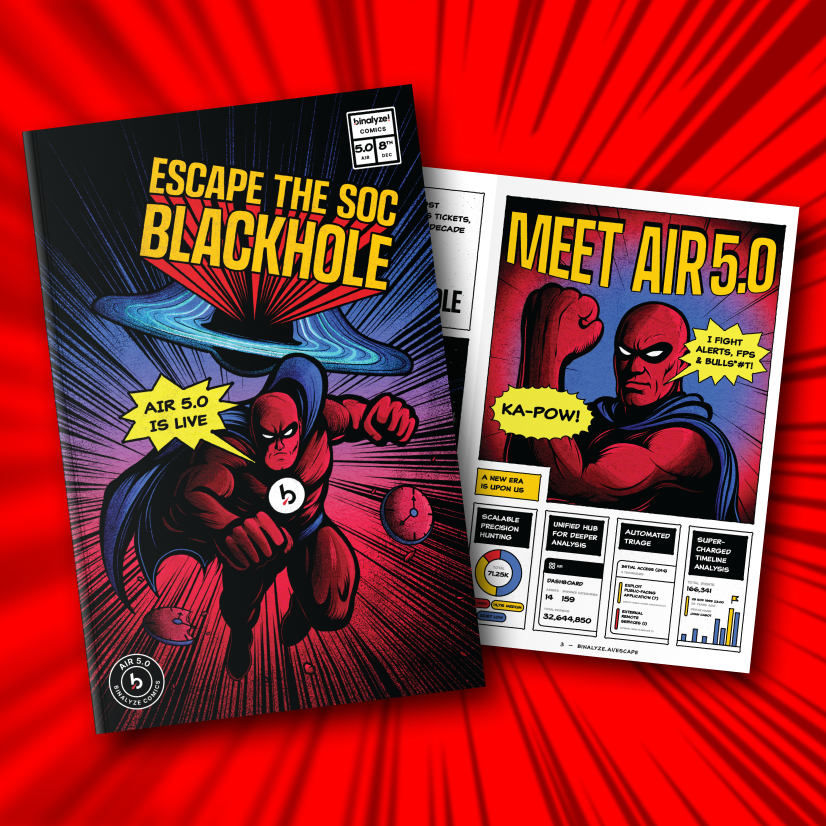

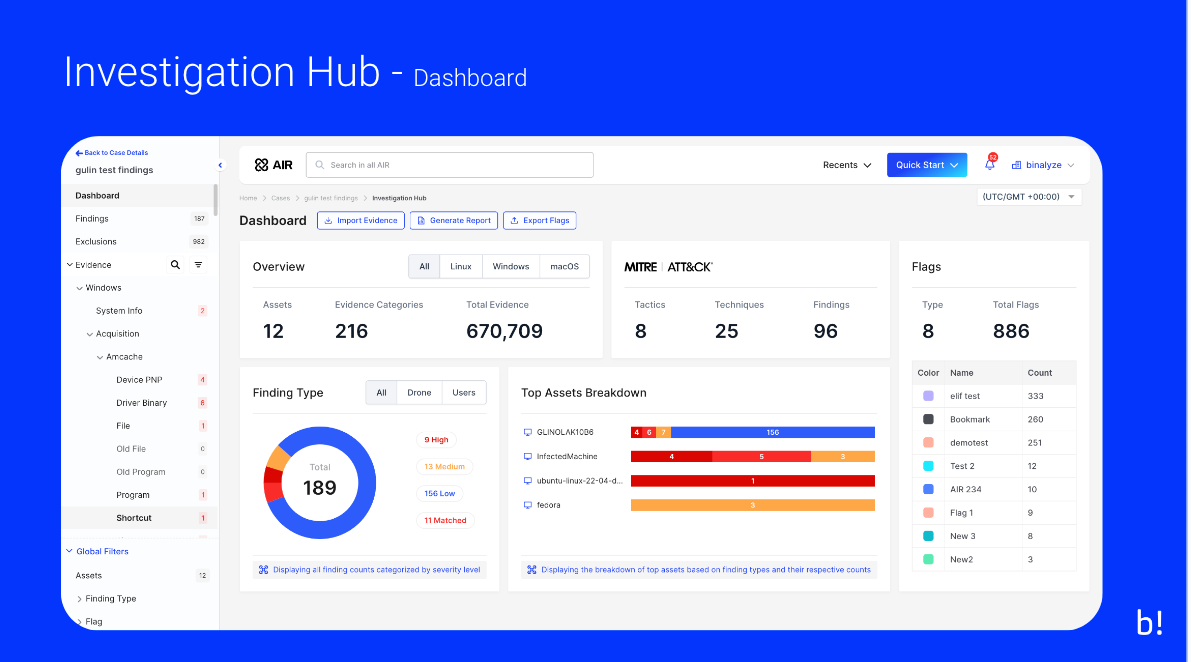
Welcome to the latest evolution of the AIR platform—AIR 4.13—an update that promises enhancements and a transformation in how investigations are conducted. At the heart of this transformation is the redesigned AIR “Investigation Hub,” which serves as the command center to elevate all of your investigative activities. This centralized interface seamlessly manages all case-related elements including assets, evidence, artifacts, and triage results, thus streamlining the investigative process like never before.
The Investigation Hub is meticulously organized to provide efficient filtering options and a robust global search feature. This eliminates the cumbersome need to switch between multiple tools or manually integrate information from disparate sources. With additional data sources and enhanced data-importing capabilities, investigators can now augment their analysis with relevant data and context, ensuring access to a comprehensive and continually updated set of information. This dynamic, responsive environment absorbs and consolidates every piece of information and will automatically generate reports as the investigation unfolds, making it a living ecosystem that adapts to the evolving nature of each case.
The launch of AIR 4.13 introduces a fresh user experience (UX) and user interface (UI) in the Investigation Hub, bringing with it new features that prioritize forensic visibility, drive operational efficiency, and enhance collaborative efforts. These updates include a new dashboard, innovative widgets, and enhanced functionalities that make workflows more intuitive and responsive to the specific needs of each investigation.
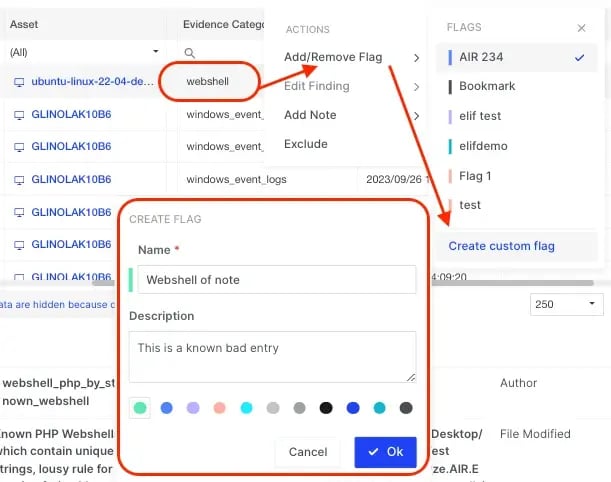
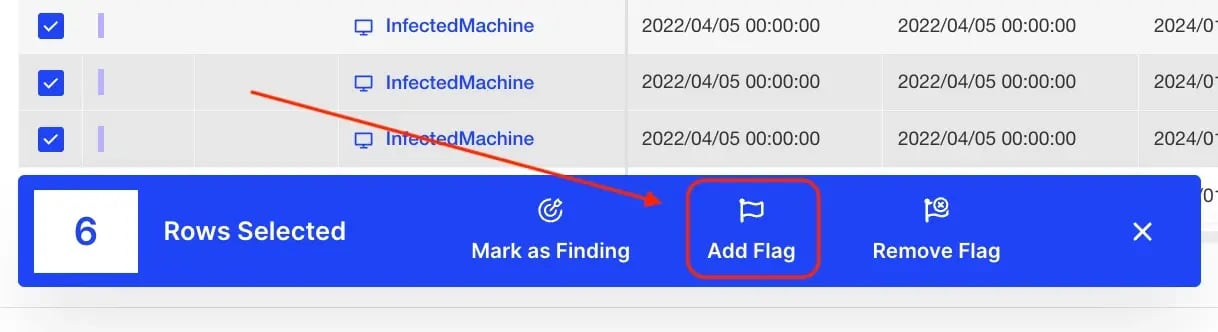
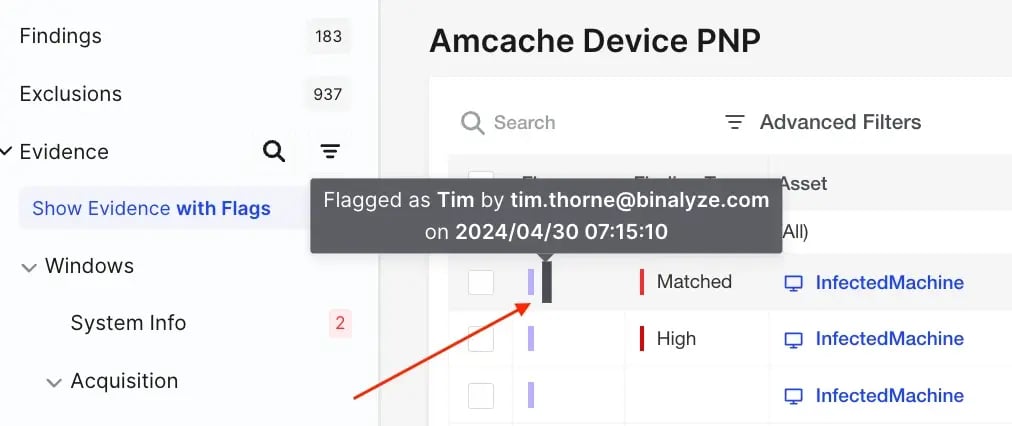
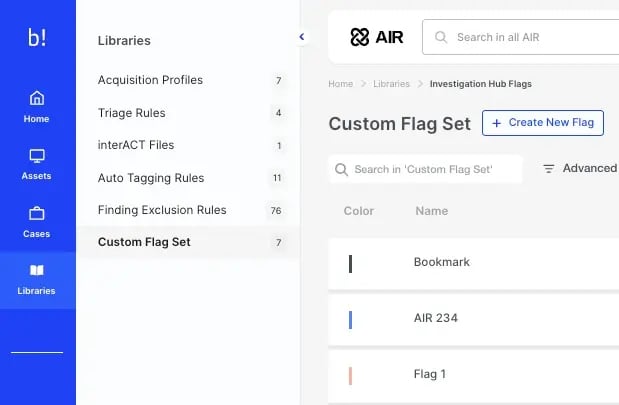
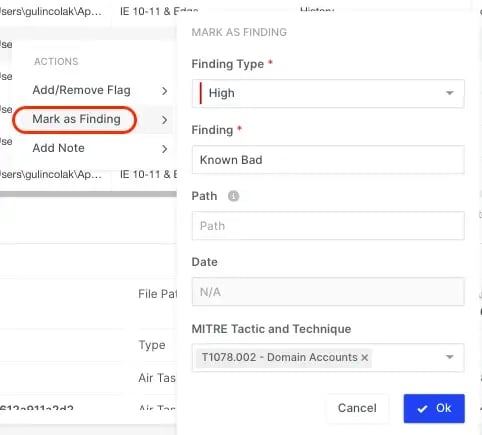
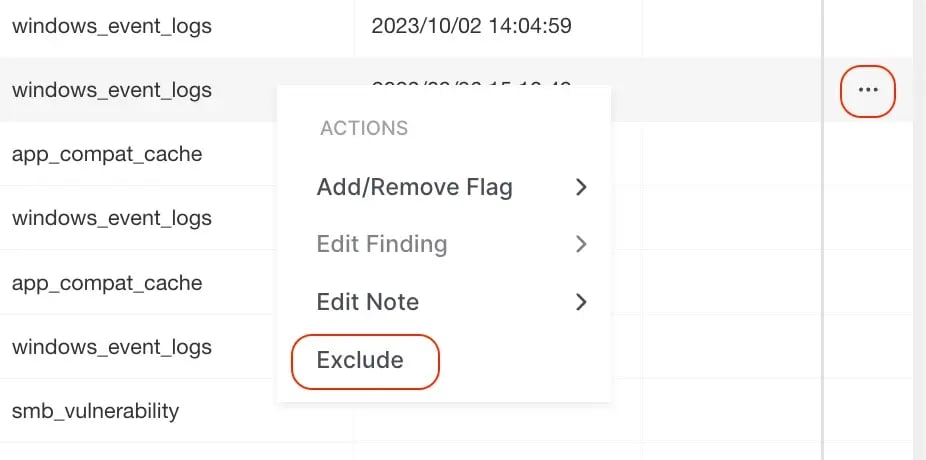
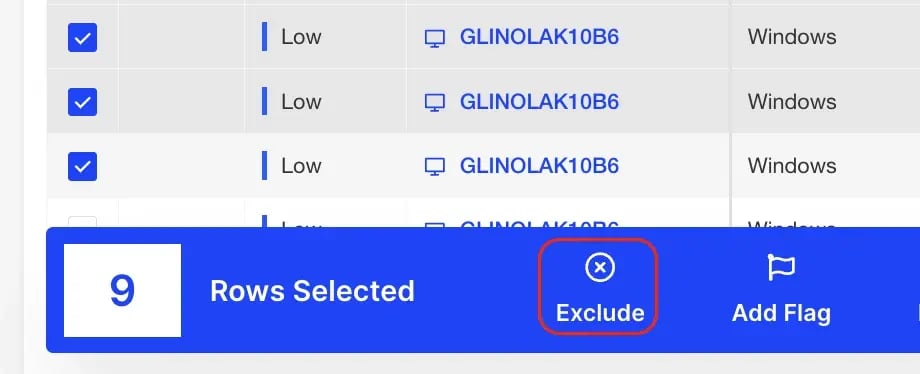
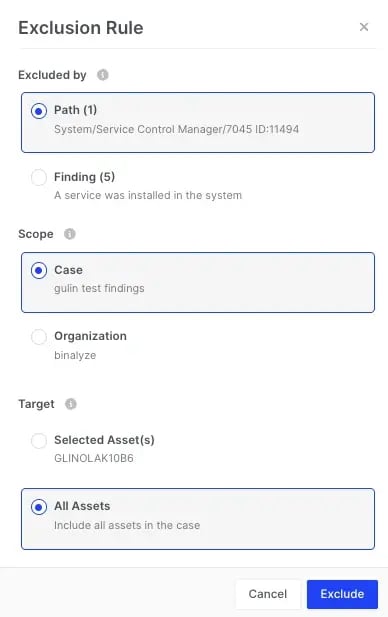
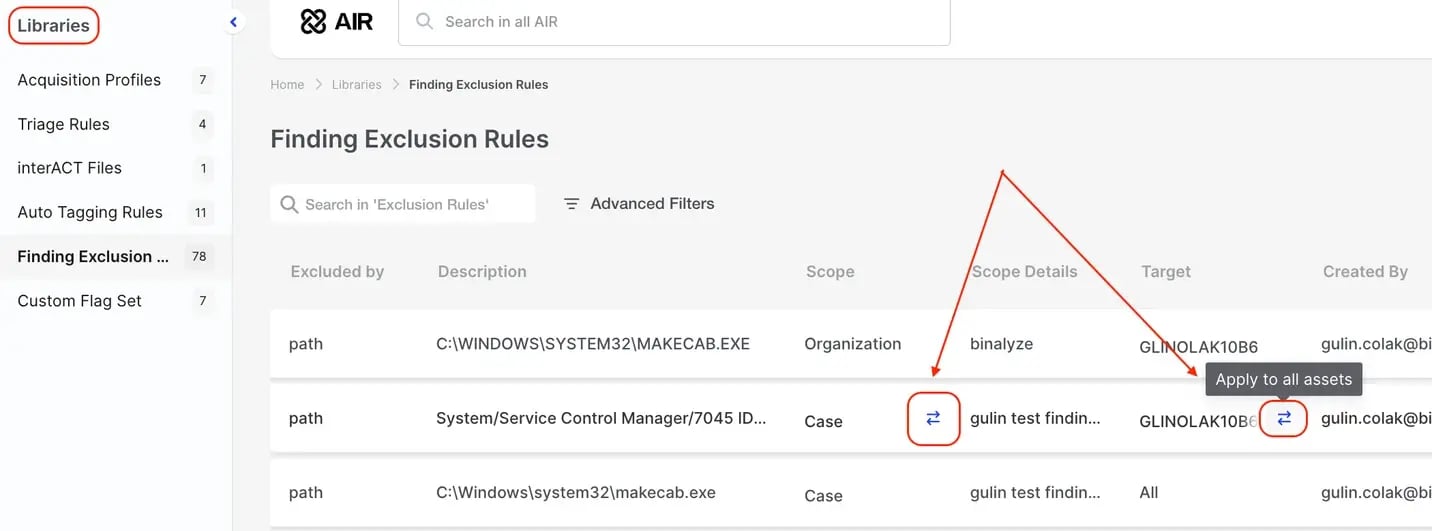
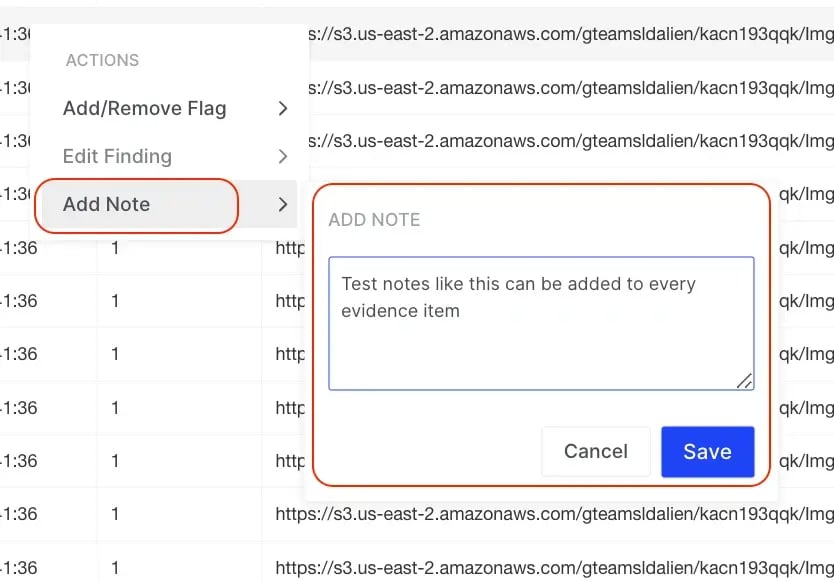
Significant enhancements in this release also include the ability to integrate user-generated Findings and custom Flags, along with advanced options to exclude non-relevant findings—features that significantly increase the granularity and flexibility of reporting. This allows for quicker, more precise analytical processes, enabling investigators to focus on what truly matters in a sea of data.
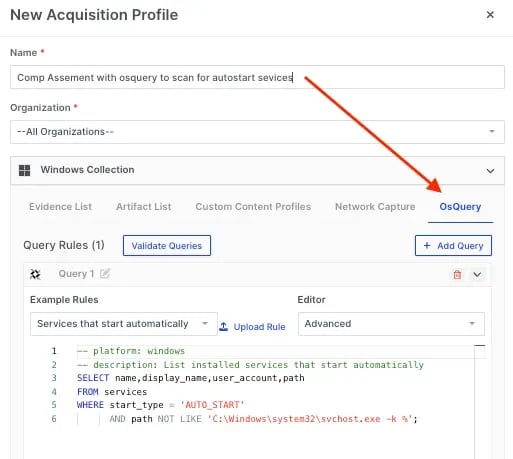
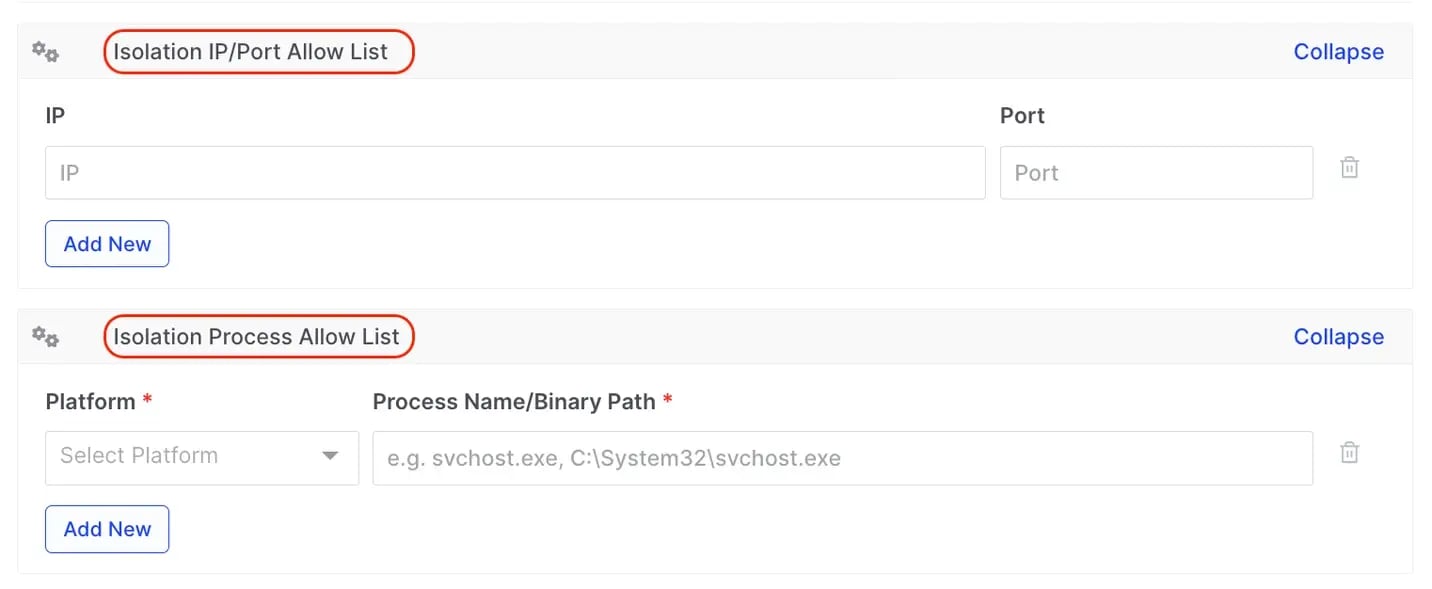
Furthermore, AIR 4.13 extends the capability of the platform with the inclusion of new evidence types, integration of osquery into acquisition profiles, and improved isolation controls that ensure essential services remain uninterrupted during critical investigative processes.
As we delve deeper into the functionalities and enhancements of AIR 4.13, we invite you to explore how these changes can significantly benefit your operations. We are eager to hear your feedback and look forward to seeing how these innovative features transform your investigative outcomes.

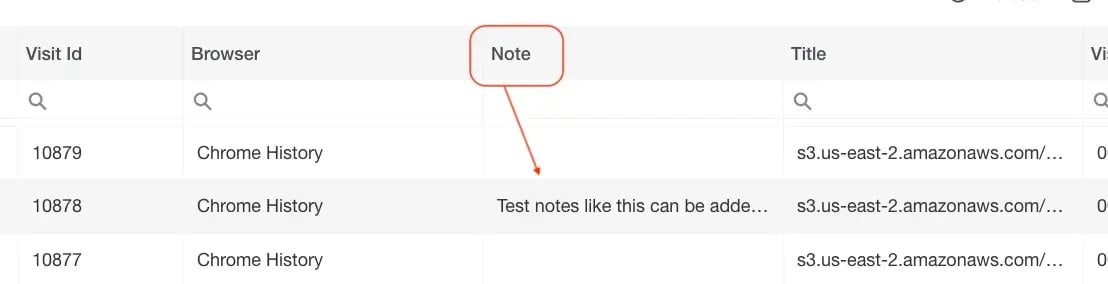
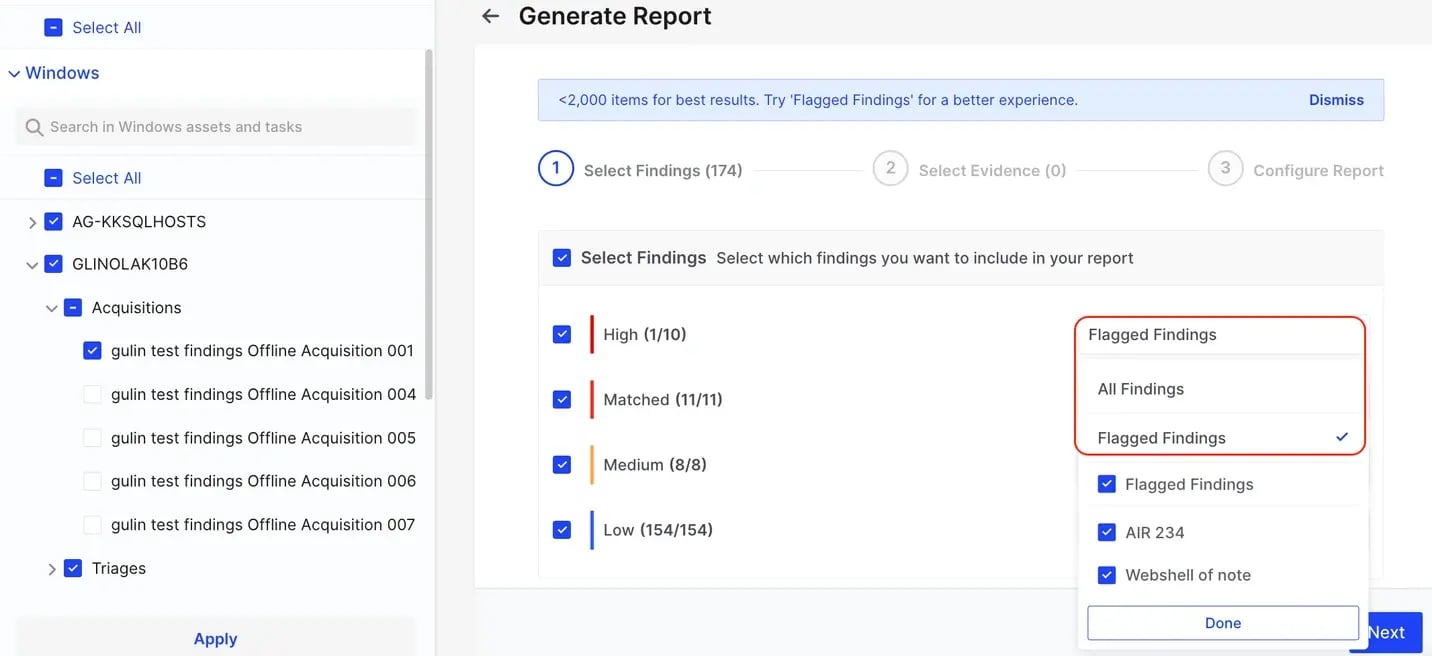
For more information about the Investigation Hub please visit our Knowledge Base:
AIR Investigation Hub | Knowledge Base
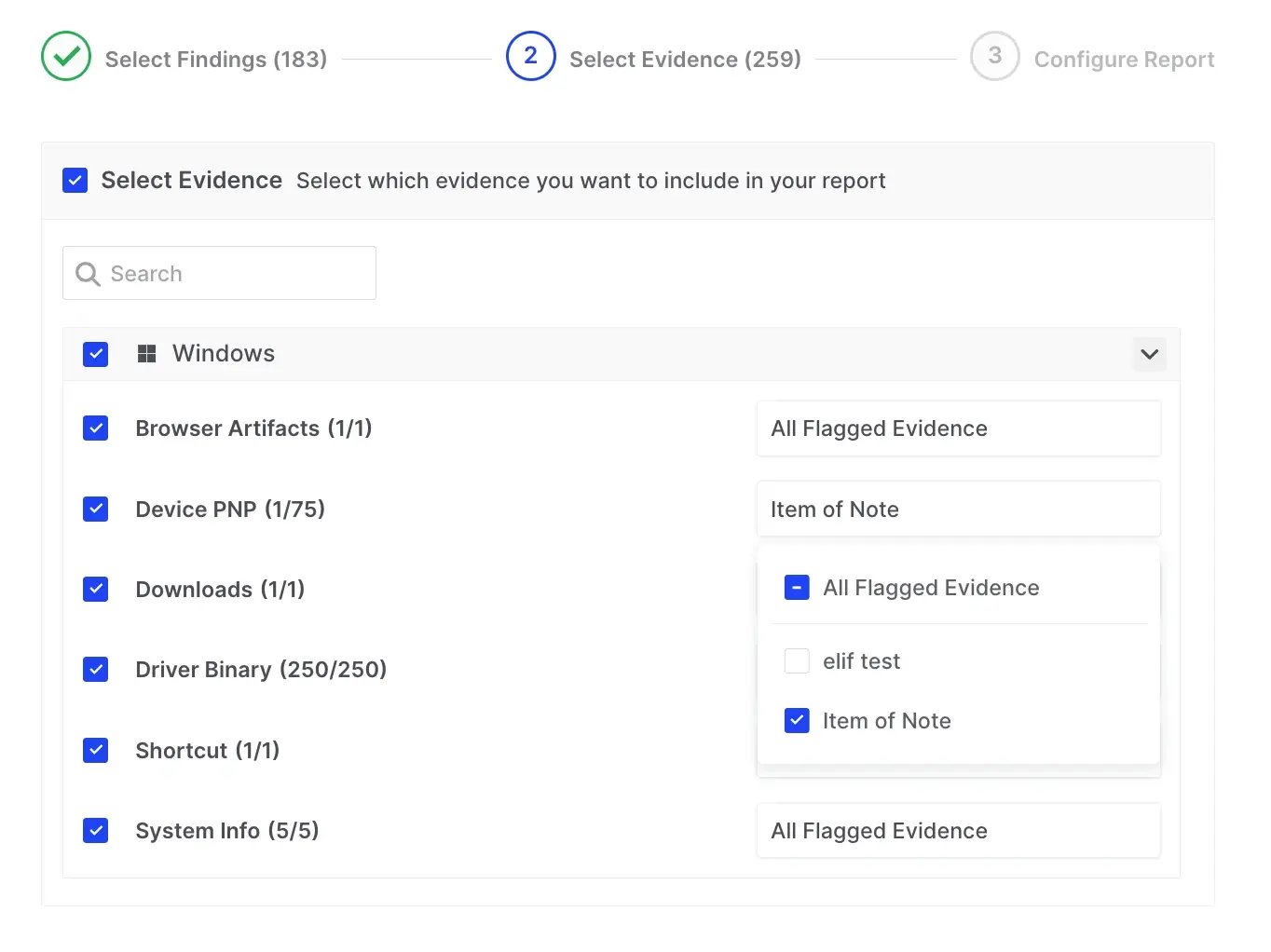

Away from the Investigation Hub other new features include:
| Category | Name | Collection Type |
|---|---|---|
| Browser | Edge Sessions | Parsed & presented in Investigation Hub |
| Browser | Opera Sessions | Parsed & presented in Investigation Hub |
| Browser | Brave Sessions | Parsed & presented in Investigation Hub |
| Browser | Vivaldi Sessions | Parsed & presented in Investigation Hub |
| Other Evidence | Powershell ConsoleHost History | AWAITS checking |
| Browser | QQ Sessions | Parsed & presented in Investigation Hub |
| Browser | QQ Sessions | Parsed & presented in Investigation Hub |
| Browser | Arc Sessions | Parsed & presented in Investigation Hub |
| Browser | Chromium | Parsed & presented in Investigation Hub |
Welcome to the AIR 4.11/4.10 release blog which introduces features and enhancements designed to streamline your forensic investigations and improve system functionality.
Highlights include the debut of Frank, an AI Assistant poised to revolutionize investigation processes within the AIR console by offering real-time forensic support and insights.
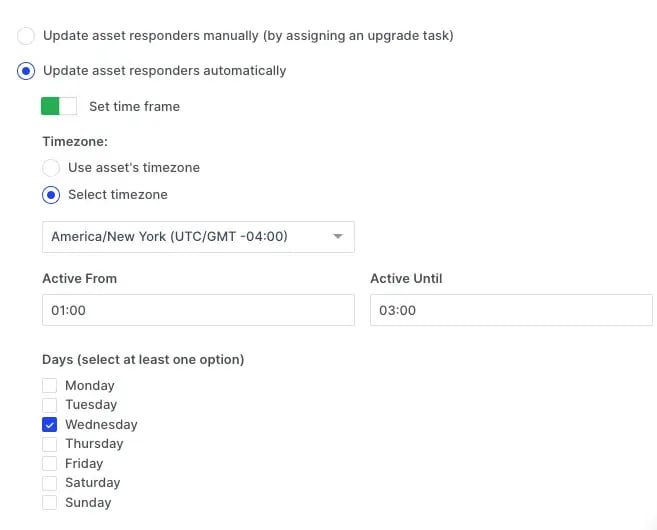
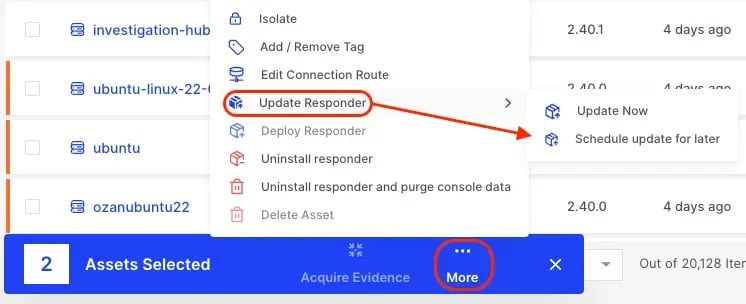
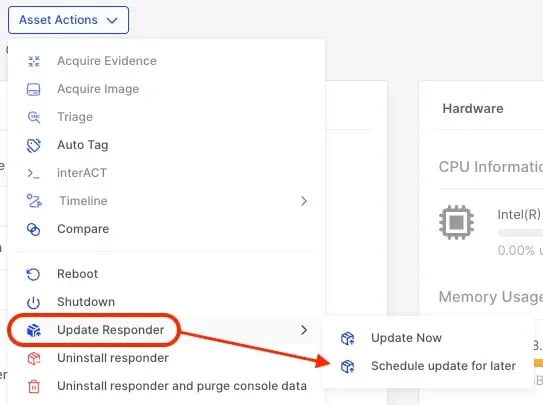
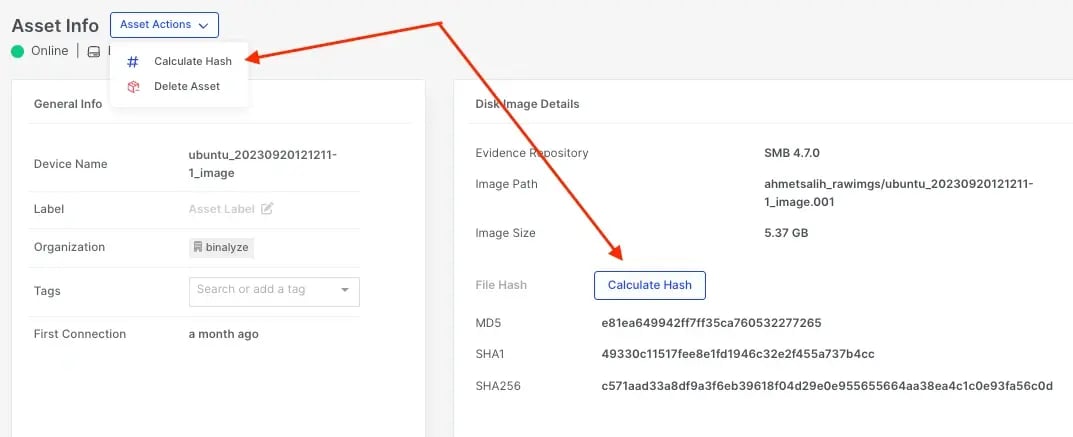
Additionally, we’ve again expanded our support for new evidence types to over 580 items across Windows, macOS, IBM AIX, and Linux. We have also introduced key enhancements like error reporting in disk imaging, task scheduling based on asset timezones for synchronized operations, and an improved Auto Asset Tagging wizard for organizational flexibility.
Thanks to some prompt feedback from some of our great customers, an important timestamp issue with the Event log content has been fixed.
Please read on for the details.

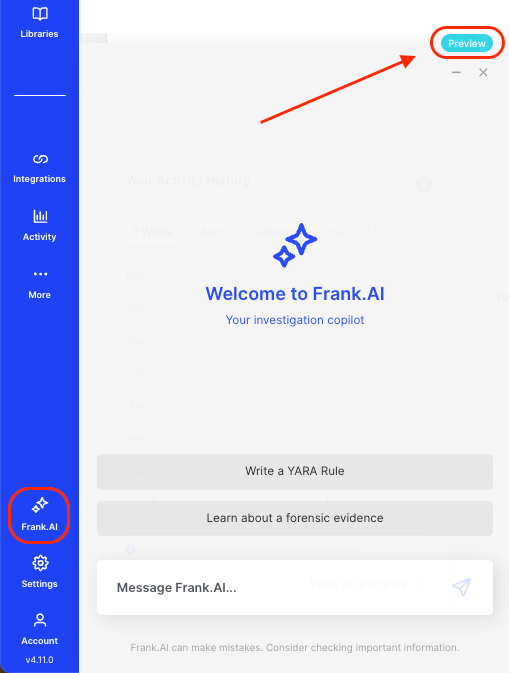
We’re excited to unveil Frank.AI in our AIR 4.11 preview release. Frank is an AI Assistant designed to seamlessly integrate into your workflow, enhancing the forensic investigation process within the AIR console. Here’s everything you need to know about Frank.AI and how it can transform your investigative work.
What Can Frank.AI Do for You?
Frank.AI is not just another tool; it’s your investigation partner, available anytime, directly within the AIR console. Frank.AI aims to provide:
Direct Access: Instant availability across the AIR console for any inquiries, speeding up your investigations.
Instant Knowledge Support: Quick, AI-powered insights to bridge gaps in your forensic analysis, ensuring you’re always prepared for the next step.
Enhanced Rule Creation: Simplified creation of YARA, Sigma, and Osquery rules, expanding your toolkit without the complexity.
As we launch Frank.AI, remember that this is just the beginning. Frank.AI will evolve, shaped by your feedback and the integration of advanced AI technologies, to offer even more nuanced assistance.
Frank.AI in AIR 4.11: Preview Version Highlight
In this initial rollout, Frank.AI leverages the ChatGPT API to assist with forensic-related questions, including advice on YARA, Sigma, and Osquery rules. While this version doesn’t include fine-tuning or pre-training, it sets the groundwork for substantial future enhancements.
Upcoming Enhancement
Retrieval Augmented Generation (RAG): Future versions will see Frank.AI accessing a wider array of data sources for broader, more accurate responses.
Deeper AIR Ecosystem Integration: Frank.AI will eventually fetch data directly from the AIR database, integrating more deeply into the AIR framework for enhanced capabilities.
Advanced Analysis Features: Expect Frank.AI to offer anomaly detection and behavioral correlations by analyzing data through the AIR’s AI module.
How to Interact with Frank.AI
To start a conversation with Frank, look for the Frank AI chat icon on any page within the AIR Console, positioned in the bottom left corner over the settings icon. Frank is ready to assist with digital forensics, incident response, or any aspect of your investigation.
Requirements and Security
Frank.AI is hosted on one.binalyze.ai and available to all licensed AIR users. Developed with a focus on security, Frank.AI operates through a proxy server, ensuring that no customer data is sent to external services. Users are advised not to share confidential information within their messages and prompts.
The Road Ahead
Frank’s journey is just beginning, with ambitious plans for expansion and enhancement based on your feedback and the evolving needs of digital forensic investigations. Our dedicated Confluence page will keep you updated on Frank’s development and the exciting new features we have in store.
Conclusion
Frank.AI represents a significant leap forward in forensic investigations, providing AIR users with an intelligent, accessible assistant that simplifies complex processes and enhances investigative capabilities. As we continue to develop Frank.AI, we’re excited to see how it will transform the way you approach forensic analysis and investigation within the AIR ecosystem.
New Windows evidence types:
These latest AIR releases are all about automating the routine tasks of every AIR user, from the SOC analyst to the threat hunter. In addition to automatic evidence collection, analysts can now also schedule tasks for Triage, disk/volume imaging, and auto asset tagging. This ensures greater control, shifting the focus from manual to automated operations. To further streamline this process, and establish the Investigation Hub as your dedicated space to conduct every investigation, we’ve sunset the old reporting format. AIR’s Investigation Hub is automatically updated with findings and insights based on the tasks that are running in the background.
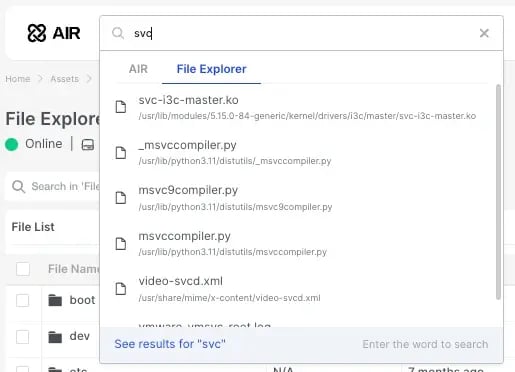
Additionally, we’d like to remind everyone that in the previous version, we introduced a new Docker container for the File Explorer feature. If you’re interested in utilizing File Explorer, please reach out to your customer success manager.
Please read on for the details:
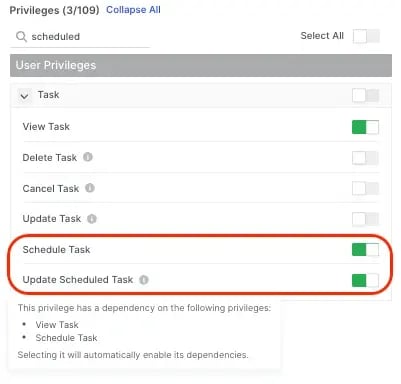
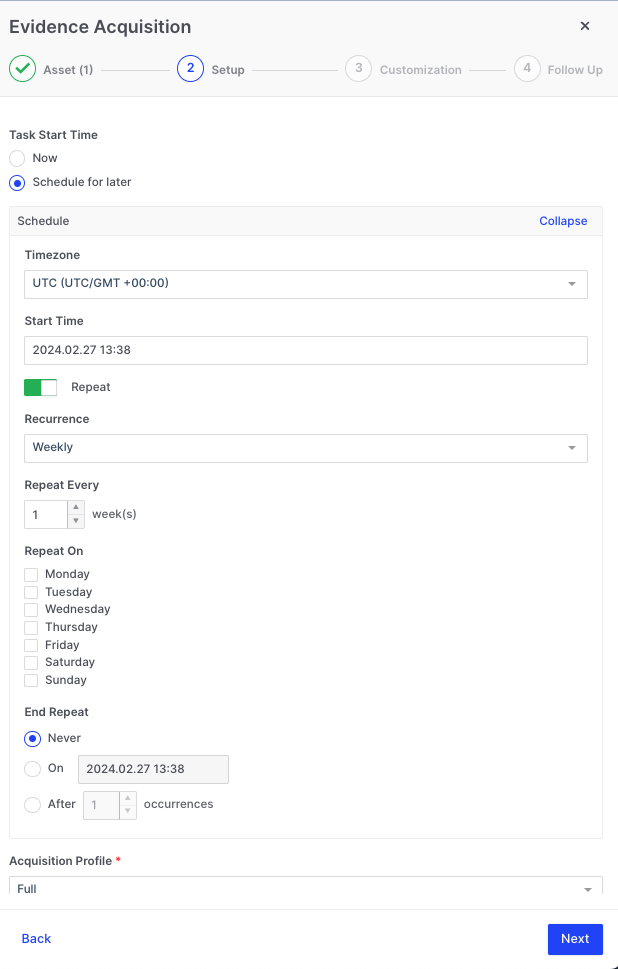
New Task Scheduling capability integrated into the AIR tasking wizard.
Investigators can now use the tasking wizard to schedule the following activities:
Evidence collections.
Triage/Threat Hunting. (Credit: Turgut Ö)
Disk and Volume Imaging.
Auto Asset Tagging.
Scheduled tasks can be assigned to a Case.
The timezone for task execution can be adjusted.
The recurrence rate can be set to Daily, Weekly, or Monthly.
The sequence can be stopped at a particular date and time or after a defined number of occurrences.
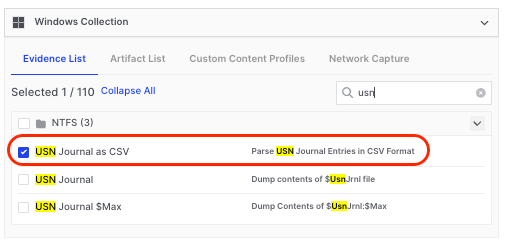
New Windows evidence type
AIR now parses the Window $USN Journal and saves this file to the evidence repository as a .csv file for easy analysis (Credit: David C)
Isolate multiple assets simultaneously
Users can now select multiple assets and execute a bulk action to isolate any desired number of assets simultaneously. (Credit: Samer H)
In AIR version 4.7, a new Docker container has been introduced to enable the new File Explorer feature. If you plan to use File Explorer and are upgrading from an older version instead of performing a fresh installation, you can upgrade as usual. Only contact our support team if you want to enable the File Explorer feature.
AIR can now be used to explore the file systems of Windows, macOS, and Linux systems where full disk or volume images have been acquired in the RAW format.
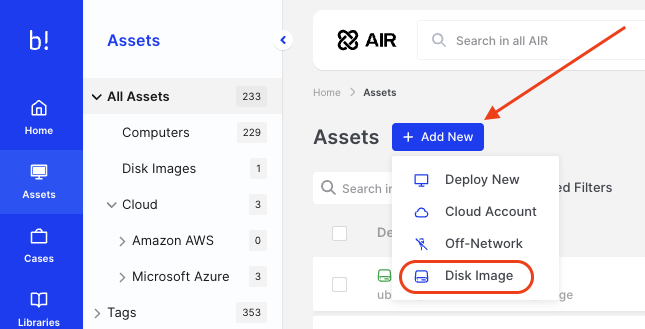
The forensic image can be added to AIR as a new Asset in a three-step process:
1. On the Assets page, click on the ‘Add New’ button and then select Disk Image:
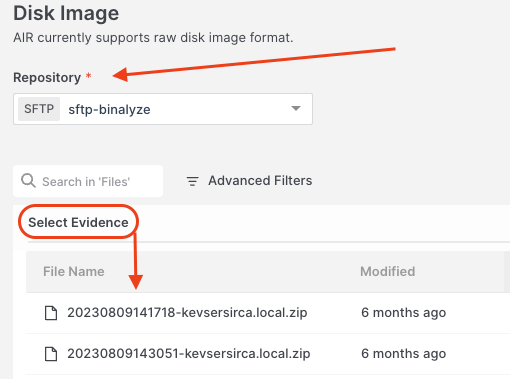
2. Select your connected repository and then the raw disk image you wish to explore:
3. Select ‘Create Asset’:

Welcome to the AIR Release Notes blog post series.
Welcome to the AIR Release Notes blog post series.
Welcome to the AIR Release Notes blog post series.
Welcome to the AIR Release Notes blog post series.